A firewall is software or hardware that allows or blocks network traffic according to rules, such as by address, port, protocol or app. Network firewalls protect a whole network at its edge; host firewalls, like the one in macOS, protect a single computer.
How it works
Kinds of firewall
- Packet filters match addresses, ports and protocols (macOS's built-in
pfis one). - Stateful firewalls track connections, allowing replies to traffic you started while blocking unsolicited traffic. Nearly all modern firewalls are stateful.
- Application firewalls decide per program: “allow Safari, block this unknown app”.
- Next-generation and web application firewalls inspect contents and protocols.
Inbound vs outbound
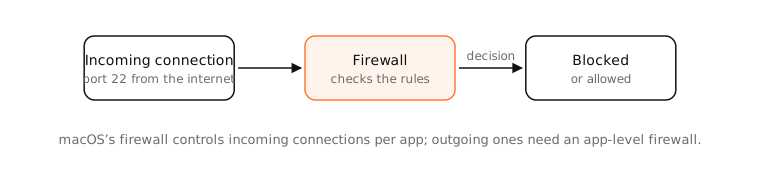
Inbound rules stop others from connecting to you; that's what home routers and the macOS firewall do by default. Outbound rules control what your apps can connect to; that's what tools like Little Snitch and LuLu add, and what catches apps phoning home.
What a firewall can't do
It can't stop malware you run yourself from using allowed connections, or protect you from phishing. It's one layer of several.
Examples
- Your router's firewall drops a random scan of port 22 from the internet.
- macOS asks “Do you want the application to accept incoming network connections?” the first time a new app listens on a port.
- An outbound firewall alerts you that a newly installed utility is connecting to an analytics server.
On a Mac
System Settings › Network › Firewall turns on the built-in application firewall for incoming connections, with Options for per-app rules, blocking all incoming connections and stealth mode. Check its state in Terminal with /usr/libexec/ApplicationFirewall/socketfilterfw --getglobalstate. Outbound control needs a third-party app.
See it in the app
LightAtom's connections view shows every outgoing connection per app, which is what you'd want to see before writing firewall rules.
Frequently asked questions
What does a firewall do?
It filters network traffic, allowing or blocking connections based on rules about addresses, ports, protocols or apps.
Does a Mac have a firewall?
Yes. macOS includes an application firewall for incoming connections, off by default, in System Settings › Network › Firewall.
Should I turn on the Mac firewall?
Yes, especially on laptops that use public Wi-Fi. It costs nothing and blocks unexpected incoming connections.
Does the Mac firewall block outgoing connections?
No. It only handles incoming connections. To control outgoing traffic per app, you need a tool like Little Snitch or LuLu.