Bandwidth is the maximum rate a link can carry, such as a 1 Gbps plan. Throughput is the rate data actually moves, measured in practice, such as 420 Mbps on a speed test. Throughput is always lower, reduced by Wi-Fi, latency, packet loss, protocol overhead and the server.
How it works
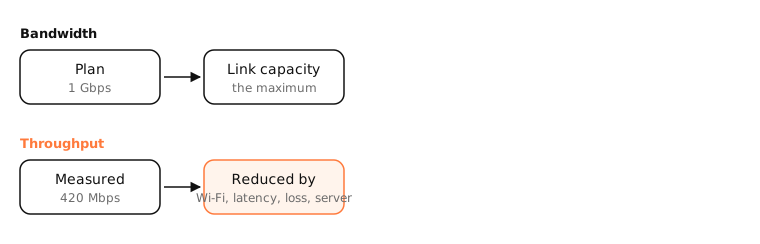
Why throughput falls short
- The slowest link wins: a 1 Gbps plan over Wi-Fi 5 at two walls' distance might top out at 300 Mbps.
- Protocol overhead: headers, acknowledgements and encryption use a few percent.
- Latency: a single TCP connection can only have so much data in flight; over long distances it can't fill a fast link (the bandwidth-delay product).
- Packet loss: TCP slows down sharply when packets are lost.
- The other end: a busy server or a congested route limits you no matter how fast your line is.
- Sharing: other devices and apps on your network use the same bandwidth.
Goodput
Some people distinguish goodput: the useful data delivered, excluding retransmissions and headers. It's what a file download's speed shows.
Units
Network speeds are in bits per second (Mbps); file sizes and download meters often in bytes (MB/s). 100 Mbps ≈ 12.5 MB/s.
Side by side
| Bandwidth | Throughput | |
|---|---|---|
| What it is | Maximum capacity | Actual achieved rate |
| Set by | Your plan, the link technology | Conditions end to end |
| Changes | Rarely | All the time |
| Measured with | The spec sheet | Speed tests, transfers |
Examples
- A 500 Mbps plan: wired speed test 470 Mbps, Wi-Fi in the next room 280 Mbps, download from a server overseas 90 Mbps.
- A Mac's Activity Monitor › Network shows current throughput per app in bytes per second.
On a Mac
networkQuality measures your Mac's real throughput up and down, plus responsiveness. Hold ⌥ and click the Wi-Fi icon to see the link rate (Tx Rate), your Wi-Fi bandwidth.
See it in the app
LightAtom shows each app's live throughput, so you can see who is using the bandwidth you have.
Frequently asked questions
What is the difference between bandwidth and throughput?
Bandwidth is the theoretical maximum of a link; throughput is the rate you actually achieve on it.
Why is my throughput lower than my plan?
Wi-Fi, distance, other devices, server limits, latency and packet loss all reduce it. Test over Ethernet to see your line's real capacity.
Is speed test result bandwidth or throughput?
Throughput: it measures what you actually got to that test server at that moment.
How do I convert Mbps to MB/s?
Divide by 8. 100 Mbps is 12.5 megabytes per second.